
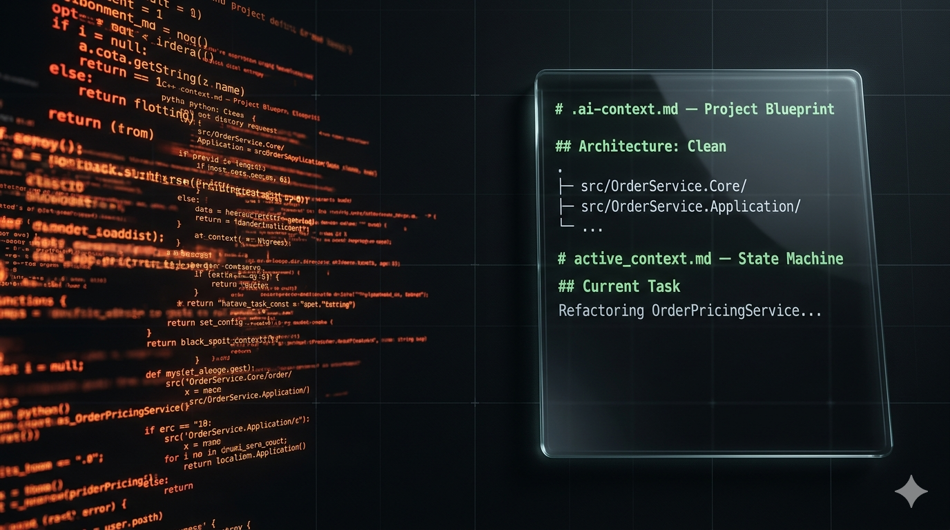
Let's be honest: the first time you watched an LLM agent spin up 500 lines of working code from a single sentence, it felt like a superpower. The cursor blinking, the tokens flowing, the tests passing—you got the dopamine hit. That's Vibe Coding, and it's seductive as hell.
Here's the hangover. Three sprints later, that same agent is five files deep into a refactor, it's "forgotten" the architectural boundaries you established in file one, it broke a dependency in file three while fixing a bug in file five, and now it's confidently rewriting a working service into oblivion. You've entered the hallucination loop—the agent keeps trying to fix the fix, each iteration drifting further from the original intent. The context window is exhausted, the codebase has outgrown the agent's immediate recall, and you're manually reverting commits at 11 PM.
The industry is moving past this chaos. The shift isn't better prompting—it's structured context engineering. Spec-Driven Development (SDD) treats your AI agent not as a magic oracle but as a junior developer: capable, fast, and absolutely requiring a rigorous, deterministic technical specification to deliver production-grade code. This post shows you how to build that framework using committed system files, explicit state tracking, and rigid markdown specs—so agents like Claude 4.6 Sonnet can execute deep, multi-file refactors without breaking the build.
Anatomy of the Problem: Why Multi-File Refactoring Fails
Multi-file refactoring is where vibe coding goes to die. A single-file change? Most capable models handle it reliably. But the moment an agent traverses directories, touches interfaces, updates DI registrations, and modifies test fixtures simultaneously, three failure modes emerge in quick succession.
Context Drift & Entropy. As the agent modifies each file, the conversation context shifts. By the time it reaches file four, the architectural constraints it "knew" in file one—say, "all domain logic stays inside the core project, no infrastructure dependencies"—have been diluted by intermediate reasoning tokens. The agent doesn't consciously forget; the information simply loses salience as the context window fills. Boundaries blur. Cross-cutting concerns get duplicated. The agent starts injecting ILogger into domain entities because it saw it in the infrastructure project two files ago.
The "Fix the Fix" Trap. This is the death spiral. The agent breaks a dependency in file A while refactoring. It "fixes" the break in file B, but that fix introduces a contract change. File C now fails compilation. The agent patches file C, which reverts part of the original refactor intent in file A. You now have three files in an inconsistent state, and the agent's context is so polluted it can't trace the causal chain back to the original mistake. Each "fix" adds entropy rather than reducing it.
The Missing Link. The root cause isn't the model's capability ceiling. It's the absence of a deterministic single source of truth (SSOT) inside the repository. The agent has no canonical reference for what the architecture should look like, what's currently broken vs. working, or what the exact acceptance criteria are. It's operating on vibes. And vibes don't scale past a three-file refactor.
The SDD Stack: Context-Engineering Files
The fix is structural, not lexical. You commit AI infrastructure files directly into your repository alongside your code. These files form the SDD Stack—three layers of context that give the agent a deterministic operating environment.
The .ai-context.md (The Blueprint)
This is a static file checked into your repo root. It's the architectural ground truth—the map the agent loads before every run. It doesn't change between sessions unless the architecture itself changes.
What goes in it:
Project topology: Directory structure with explicit boundary annotations (e.g.,
src/Core/= zero external dependencies,src/Infrastructure/= all external I/O)Core constraints: Hard rules the agent must never violate ("MUST NOT reference
Microsoft.EntityFrameworkCorefromCore", "MUST use native .NET 10System.Text.Json—noNewtonsoft.Json")Styling & conventions: Naming patterns, file organization rules, nullability enforcement
Technology stack: Explicit versions (e.g., ".NET 10 RC1, Go 1.23, Postgres 16")
# .ai-context.md — Project Blueprint

## Architecture: Clean Architecture (Enforced)

### Project Boundaries
- `src/OrderService.Core/` — Domain entities, value objects, domain services. ZERO external dependencies.
- `src/OrderService.Application/` — Use cases, DTOs, interfaces. May reference Core only.
- `src/OrderService.Infrastructure/` — EF Core repos, external API clients, DI registration. May reference Application and Core.
- `src/OrderService.Api/` — Controllers, middleware. May reference Application only (never Infrastructure directly).

### Hard Constraints
- MUST NOT install NuGet packages without explicit approval in spec
- MUST use `System.Text.Json` for all serialization (no Newtonsoft)
- MUST use source-generated `LoggerMessage` definitions—no `ILogger.LogInformation` with string interpolation
- MUST target .NET 10 RC1 with `net10.0` TFM
The active_context.md (The State Machine)
This is a dynamic file updated before and after every major agent run. It's the agent's working memory—what's happening right now, what's stable, what's broken, and what comes next.
# active_context.md — Current Working State

## Current Task
Refactoring OrderPricingService to support volume discount tiers

## What Works
- Core domain entities compile and pass all 47 unit tests
- Infrastructure DI registration is stable
- API layer untouched—no regressions expected

## What Is Currently Broken
- `PricingCalculatorTests.Fallback_Tier_Missing` — fails: returns 0 instead of throwing
- `DiscountPipelineIntegrationTest` — skipped, depends on broken tier resolution

## Immediate Next Steps
1. Implement `TieredDiscountPolicy` in Core
2. Register policy in Infrastructure DI
3. Wire into `OrderPricingService.ApplyDiscounts()`
4. Fix failing unit tests
5. Re-enable integration test
Without this file, the agent re-derives the current state from scratch every run. With it, the agent starts with perfect situational awareness.
The Feature Spec File (/specs/feat-xyz.md)
This is the task-specific prompt masquerading as a technical spec. It's the most critical file in the stack—and we'll break it down in the next section.
Deep Dive: Writing a Spec the Agent Can't Screw Up
A good spec removes all ambiguity. A bad spec invites the agent to improvise—and improvisation is where hallucinations breed. Here's the template, then the breakdown of why each section matters.
# SPEC: Volume Discount Tier Refactor

## Summary
Add tiered volume discount support to OrderPricingService.
Replace flat-rate discount with a configurable tier policy sourced from the domain.

## Requirements

### MUST
- Implement `TieredDiscountPolicy` as a domain service in `OrderService.Core/Domain/Policies/`
- Policy MUST accept `OrderLine` collection and return `DiscountResult` with tier name and amount
- Tier thresholds MUST be configurable via `appsettings.json` (not hardcoded)
- All existing `OrderPricingService` consumers MUST continue to compile without modification
- `dotnet test` MUST pass with zero warnings and zero failures

### MUST NOT
- MUST NOT modify any controller or API endpoint
- MUST NOT add external NuGet packages
- MUST NOT change the `DiscountResult` public interface signature
- MUST NOT use reflection or dynamic dispatch for tier resolution

### SHOULD
- SHOULD add XML doc comments to all new public members
- SHOULD prefer `record` types for any new DTOs

## Affected Files

### Modify
- `src/OrderService.Core/Domain/Services/OrderPricingService.cs`
- `src/OrderService.Infrastructure/DependencyInjection/ServiceCollectionExtensions.cs`
- `appsettings.json`

### Create
- `src/OrderService.Core/Domain/Policies/TieredDiscountPolicy.cs`
- `src/OrderService.Core/Domain/Policies/DiscountTier.cs`
- `tests/OrderService.Core.Tests/Domain/Policies/TieredDiscountPolicyTests.cs`

### Do NOT Touch
- `src/OrderService.Api/**`
- `src/OrderService.Application/UseCases/**`

## Verification Gate
- `dotnet build OrderService.sln` exits with code 0, zero warnings
- `dotnet test OrderService.sln` exits with code 0, all 47+ tests pass
- No new NuGet packages appear in any `.csproj`
- `Docker build` layer for `OrderService.Api` remains under 120 MB
Why This Works
The Requirements Block uses RFC 2119 language deliberately. Agents respond exceptionally well to deterministic compliance language. "MUST" and "MUST NOT" are unambiguous constraint boundaries. "Should" signals preference without enforcement. Compare this to the vague alternative: "Try to keep the API layer the same if possible." That's an invitation for the agent to decide what "if possible" means—and you won't like its interpretation.
The Affected Files Map is your leash. Without it, the agent wanders. It sees a related name in a file you didn't intend to touch, decides it "should" be consistent, and modifies a working controller. The explicit "Do NOT Touch" section is as important as the "Modify" and "Create" lists. It's a hard boundary.
The Verification Gate is your safety net. It defines exact, machine-checkable acceptance criteria. Not "the code should work"—that's a vibe. "Exit code 0, zero warnings, all tests pass, Docker layer under 120 MB"—that's a spec. The agent can self-verify against these gates before handing control back to you.
The Execution Workflow (The Run Loop)
The spec is written. The context files are in place. Here's how to execute the refactor without the agent spiraling.
Phase 1: Bootstrapping
Feed the agent the .ai-context.md and the new spec. Then do not let it write code yet. Instead, instruct:
"Read
.ai-context.mdand/specs/feat-volume-discount.md. Repeat the hard constraints back to me. Then output a planned execution order—list every file you will touch, in sequence, with a one-line description of what you will change. Do not write any code until I confirm the plan."
This forces the agent to demonstrate comprehension before action. If it misreads a constraint, you catch it here—before a single line of code is written.
Phase 2: Incremental Commits
Instruct the agent to work in tight micro-steps, committing after each logical unit:
Create
DiscountTier.cs→ commitCreate
TieredDiscountPolicy.cs→ commitModify
OrderPricingService.cs→ commitUpdate DI registration → commit
Add unit tests → commit
Treat git branches as cheap disposable sandboxes. If the agent breaks something on step 3, you revert that commit—not the entire session. The active_context.md gets updated after each successful step to reflect the new state.
Phase 3: The Verification Loop
After the agent signals completion, run your verification gate locally and immediately:
dotnet build OrderService.sln --warnaserror && \
dotnet test OrderService.sln --no-build && \
docker build -f src/OrderService.Api/Dockerfile .
If anything fails, feed the compiler or test stack trace directly back into the agent's context alongside the spec:
"Verification failed. Here is the full error output: [paste stack trace]. Re-read the spec constraints. Fix only what is broken. Do not refactor working code."
This is critical: the error output becomes new context. The agent now has the spec, the architecture constraints, the current state, and the exact failure. That's deterministic debugging—not vibe-driven guesswork.
Conclusion & Call to Action
Vibe coding gets you from 0 to 1. It's the prototype accelerator, the spike solution generator, the "let me see if this even works" tool. But Spec-Driven Development gets you from 1 to production. It transforms AI from an unpredictable magic trick into a scalable, industrial-grade software engineering tool—one that operates within deterministic boundaries, reports its state explicitly, and verifies its own output against machine-checkable criteria.
The best prompt engineers of the past are becoming the system architects of today. The skill isn't finding the magic incantation; it's building the scaffolding that makes the agent's output reliable.
What does your current .ai-context equivalent look like? What guardrails—explicit file boundaries, verification gates, state tracking—are you using to stop agents from hallucinating during deep refactors? Drop your setup in the comments; I'm collecting patterns for a follow-up on SDD at scale.